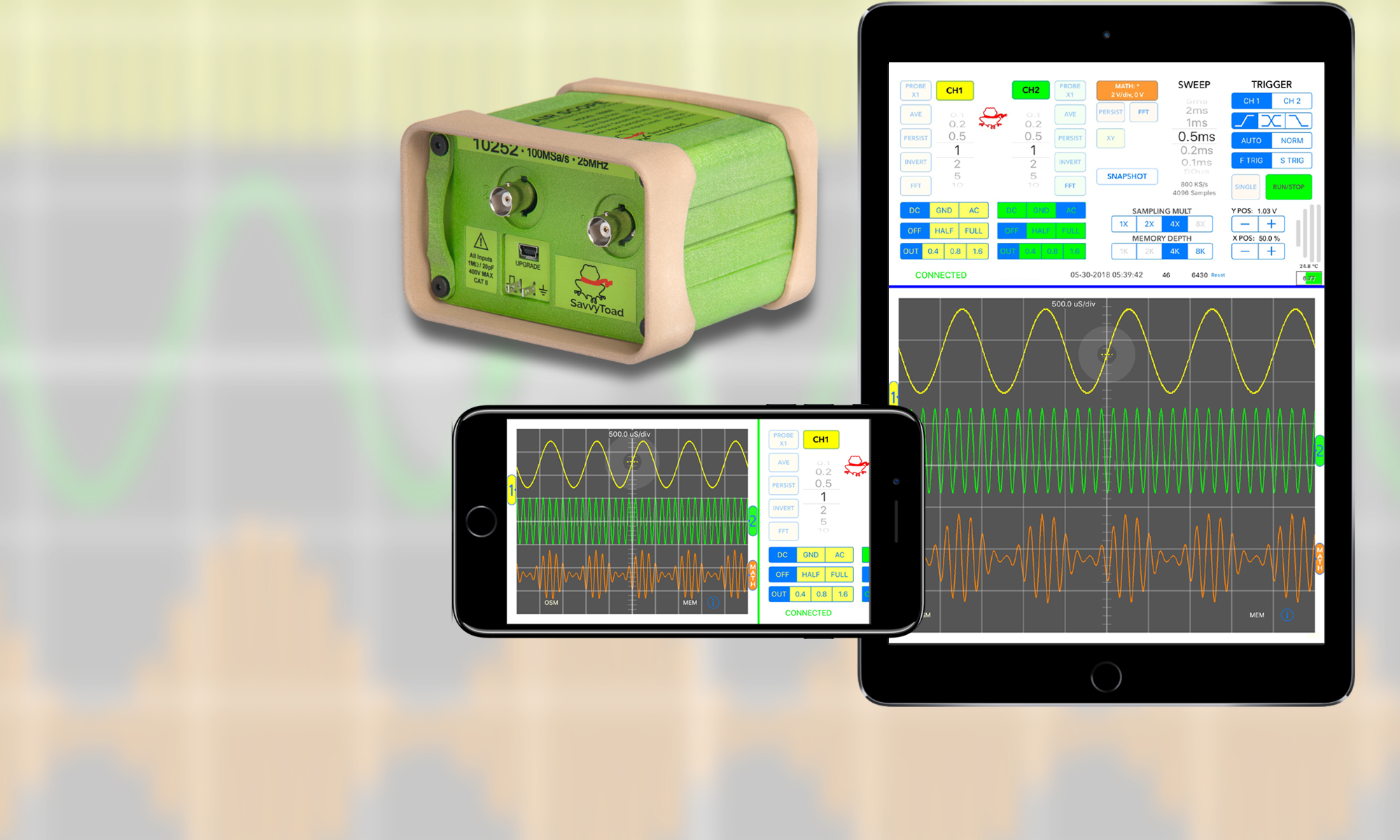

General:
Dual Channel 100MS/s Oscilloscope
High Speed WiFi Data Link To AirScopeUI App (iPad version released)
Access Point Style WiFi Connection
100′ WiFi range
Input Channels:
10mV/div to 50V/div Vertical Range (8 Vertical Division)
12 Input Levels (1-2-5 Sequence)
Input Channel Coupling (AC, DC, GND)
Trace Variable Persistence
User Defined Persistence Depth
Trace Averaging
User Defined Averaging Depth
Selectable Probe Attenuation Settings
Probe Settings: X1, X2, X5, X10, X20, X25, X50, X100
Auto-Ranging Input Sensitivity Setting
Invert Trace
Rolling Average Noise Reduction (0.4%,0.8% or 1.6% of Total Samples)
Horizontal:
Sweep Rates From 1μs/div to 5s/div (10 Horizontal Divisions)
21 Sweep Settings (1-2-5 Sequence)
Expand/Contract Time Using Pinch Gesture
Equivalent Sweep Time Display (for Expand/Contract)
Drag Horizontal To Pan Traces
Single Tap Pan And Expand/Contract Reset
Double Tap To Reset Controls To Operational State
Sampling:
Constant 100MS/s Input Sampling
Recording Rates – 100MS/s to 20S/s
Selectable Memory Depth (1024, 2048, 4096, 8192)
Selectable Sampling Rate Multipliers** (1X, 2X, 4X, 8X)
** 1X – sampling rate for selected sweep rate @ 1024 memory depth
Trigger:
Drag Screen Cursor For Trigger Point Setting (for Level and Time Positioning)
Fine Trigger Setting Controls (for Level and Time Positioning)
Trigger Position Value Display (for Level and Time Positioning)
Trigger Source Selection (Ch1 or CH2)
Trigger Edge (Rising, Falling and Level Only)
Trigger Mode (Normal or Auto-Baseline)
Selectable Trigger Slope-Detectors (Fast or Slow Transitions)
Single Sweep Mode
Trigger Status Display
Trigger Status Time Since Armed Display
Trigger Status Post-Trigger Acquisition Progress
Slope Detector Sensitivity Adjustments
Auto Measurements:
Selectable Auto-Measurements: Vpp, Vave, Vrms, Vmax, Vmin, Freq and %D/C
Independently Selectable Per Input Channel
Up to 4 Auto-Measurements Displayed On Screen
User Defined Auto-Measure Averaging Depth (for Both Channels)
FTT Features:
Channel Selectable (Ch1, Ch2 or Math)
Auto Peak Labeling (Frequency and Amplitude)
Trace Averaging
User Defined Trace Averaging Depth
Trace Variable Persistence
User Defined Variable Persistence Depth
Y-Axis Linear or Log Scaling
Selectable Display Units (V / dB)
Movable Horizontal Reference Line
Selectable W / V Scaling
User Defined Vertical Scale Factor
User Defined 0dB Reference
User Defined Baseline Value
Pinch Gesture Expand/Contract X Scaling
Pan FFT Trace Position Independent of Time Domain Traces
Mode Sensitive Parameter Fields
FFT On-Screen Measurement Feature:
Independently Deployable, Lightweight, Measurements panel
FFT Measurements Deploy/Retract Button (FFT Button)
Drag To Reposition Measurements Panel
– FFT Markers Section
2 Independent Markers (F1, F2)
0dB Reference Setting (F1 Marker)
Select Max Peak Function
Select Next Peak Function (Right / Left)
Level & Frequency Display (per Marker)
Subtract or Divide Marker Values (Level & Frequency)
Manually Position Markers (Tracks Level)
Nudge Marker Position By One Data Point
Drag To Reposition Measurements Panel
Markers Panel Rollup Button
– Distortion/Noise Section
Wideband or Band Limited Operation
4 Independent Measurements
Signal Measurements: SNR, SINAD, THD, THD+N
Noise Measurements: Harmonic Peaks, Noise Peaks,
Random Noise, All Noise
Fundamental Measurements: Frequency and Amplitude
Selectable Units: Vrms, dBV, dB, %, Ratio, Hz (Depending on Measurement)
Auto-Detect Fundamental Frequency For Distortion
Manually Enter Fundamental Frequency Value
Automatic Harmonics Labeling
High And Low Bandwidth Cutoff Sliders
Nudge Sliders One Bin Width
Manually Enter Bandwidth Limits
Distortion/Noise Panel Rollup Button
Time Domain On-Screen Measurement Panel:
Independently Deployable, Lightweight, Measurements panel
On-Screen Measurements Deploy/Retract Button (OSM Button)
Drag To Reposition Measurements Panel
Manual And Data Tracking Modes
Input Channel Selection
Voltage Displays (Top Cursor, Bottom Cursor, Delta Volts)
Manual Voltage Measurement (Ch1 or Ch2)
Track Selected Trace Data With Time Cursor
Link Time Cursor Movement
Time Displays (Delta Time and 1/Delta Time)
Enable/Disable Time Display (Manual Mode)
Manually Position Time And Voltage Cursors
Nudge Time Cursor Position By One Data Point
Drag To Reposition Measurements Panel
Trace Memories Panel:
Independently Deployable, Lightweight, Control panel
Memory Controls Deploy/Retract Button (MEM Button)
Drag To Reposition Memory Control Panel
Trace Memories For CH1, CH2, Math And FFT
Trace Memories Are Exportable
Independent Trace Hide/Show Buttons
Clear All Function
Math Function:
Math Function On Input Channels (+, -, *, /)
User Defined Math Channel Scaling & Offset
Math Trace Variable Persistence
Math Channel FFT
XY Mode:
XY Display Variable Persistence
Independent X & Y Position Control
Scope Display:
10 Time Divisions By 8 Voltage Divisions
Variable Intensity Graticule
Multiple Graticule Pattern: Standard, Grid, Ticks, Hi-Res Grid, Circles
Selectable Trace Style (Continuous Line, Data Dots)
Lock Individual Traces From X-Axis Panning
Dimmer Control For White Background Areas
Scrubber View:
View Deploys When Trace Is Longer Than The Visible Screen
Displays Current Position Of Visible Screen Along Long Trace
Drag View Icon To Quickly Pan Long Trace
Drag Trigger Icon To Quickly Reposition Trigger (Horizontally)
Work For Time Domain and FFT Traces
Time/FFT Trace Selection Button
Help/Info:
Deploy And Retract Help/Info Overlay (“i” Button)
Tap Highlighted Objects For Help/Info Content
Help/Info Available For Objects Currently On Screen
System Runs While Overlay Is Deployed
Launch Tutorial From Overlay
Access AirScope Website From Overlay
Other:
Export Function (CSV File of Traces On Screen)
Snapshot Button (Screen Capture)
Date & Time With Seconds Display
Graphical AirScope Battery Level Indicator
Current AirScope Battery Pack Voltage Value
Current AirScope Device Temperature (Internal Temp)
Traces Received Counter (Resettable)
Average Traces Per Second Display
Factory Reset Function
Live Calibration Of GND Ref During System Operation
Sliding Control Panel For Secondary Controls Access
Demo System:
Demo On/Off Control (Disable If Not Needed)
Demo System Functions When Not Connected To AirScope
5 Sets Of Demo Waveforms: 1KHz & 6KHz Sinewaves,
1KHz Clipped Sine & 196.1Hz Narrow Pulse,
50% & 20% Duty Cycle Square Waves
10ms Sine Pulse & Dual Tone (1280 & 1600 Hz)
1KHz 90° Phase-Locked Sinewaves
All Non-Hardware Implemented Features Operable
Not Available (Flashlight, Noise Reduction, Slope Detectors, LiveCal)
Flashlight:
4-Element Superbright White LED
Multiple Intensity Control (Off, Lo, Med, Hi)
Control Locally With Button On AirScope Unit
Control Remotely From AirScopeUI App
AirScopeUI App Shows Units Selected Intensity Level
Gesture Controls:
Trace Vertical Positioning
Time Domain Trace X-Axis Panning
Time Domain Trace Horizontal Pinch Expand/Contract
FFT Display X-Axis Panning
FFT Display Horizontal Pinch Expand/Contract
Single Tap Horizontal Centering
Double Tap Operational Reset
Trigger Cursor Activate/Drag
On-Screen Measurement Panel Drag (Time & FFT)
On-Screen Measurement Markers/Cursors Drag (Time & FFT)
On-Screen Measurement/Control Panel Positioning Drag
Scrubber View Icon Panning
Auto Measurements Tap For Fly Out Menu
Swipe Control Screen Open/Close