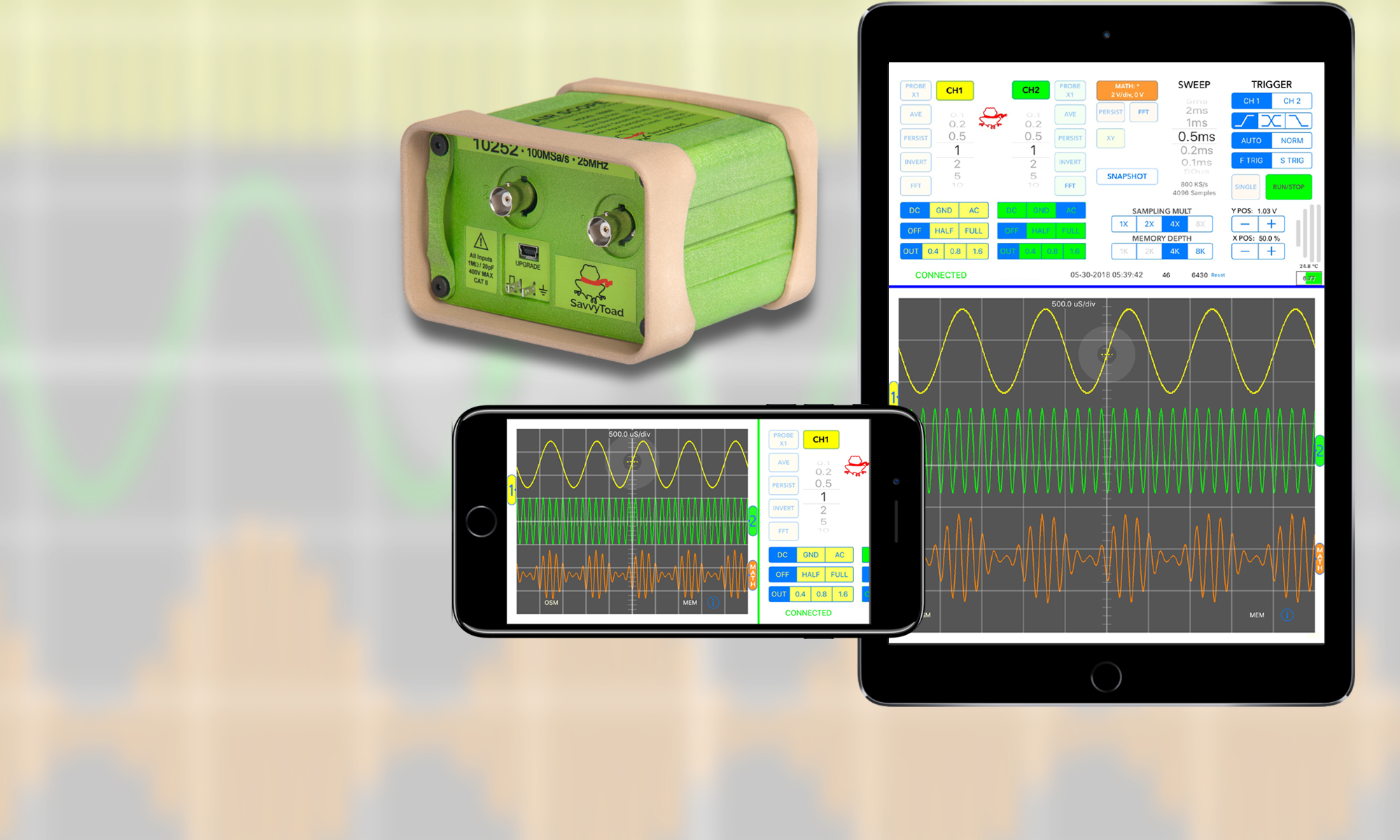

Introducing AirScope

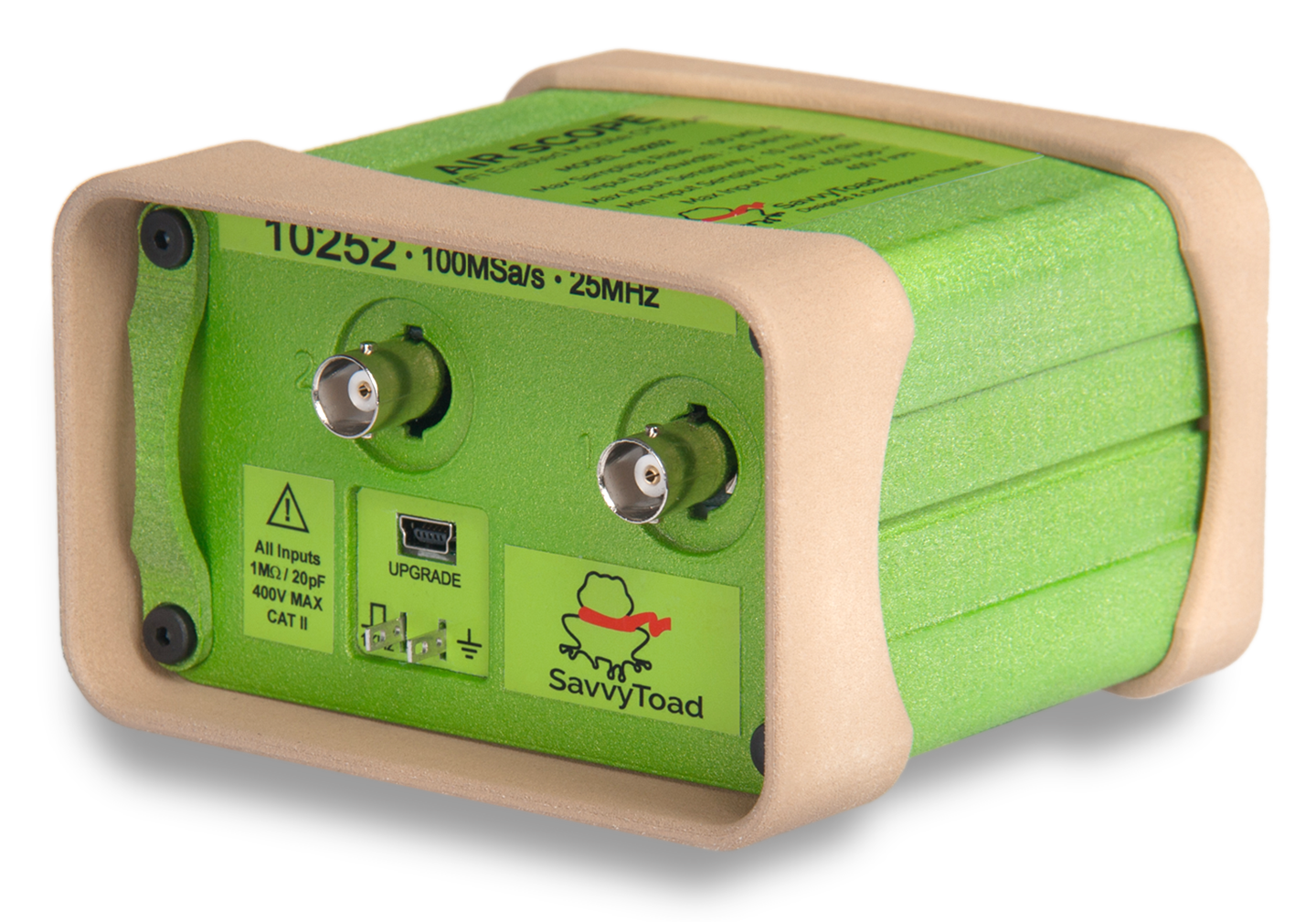
This is AirScope . . .
AirScope connects to whatever you need it to and captures signals.

  • Dual Channel WiFi Enabled Mix Mode DSO
  • 100MS/s Sampling Rate With 25MHz Front-End
  • 10mV to 50V/div Input Sensitivity
  • Multiple Sampling Rates And Memory Depths
  • Input Signal Rolling Average Noise Reduction
  • Up-gradable, Reconfigurable Firmware
  • 6 Hours Of Operation At Max Sampling Rate
  • 100′ WiFi Range In Access Point Mode
  • Convenient Flashlight Function

AirScope Features
AirScope Specs
AirScope Hardware


This is the AirScope UI App . . .
The AirScope UI App provides the User Interface and data processing.

  • Simultaneous Display Of All Function Traces
  • FFT On Ch1, Ch2 or Math Trace With On-Screen Measurement Tool
  • On-Screen Display Of labeled FFT Peaks, Noise and Distortion
  • On-Screen Time Domain Measurement Tool
  • Automatic Channel Measurements (Vpp, Vave, Vrms, Vmin, Vmax, Freq, %D/C)
  • Pinch Gesture Expand/Compress For Time and Frequency Axes
  • Auto Ranging For Input Sensitivity Setting
  • Math Channel And XY Function
  • On-Screen Drag & Drop Trigger Cursor

So . . . why AirScope?
AirScope Features
AirScope App Feature Details
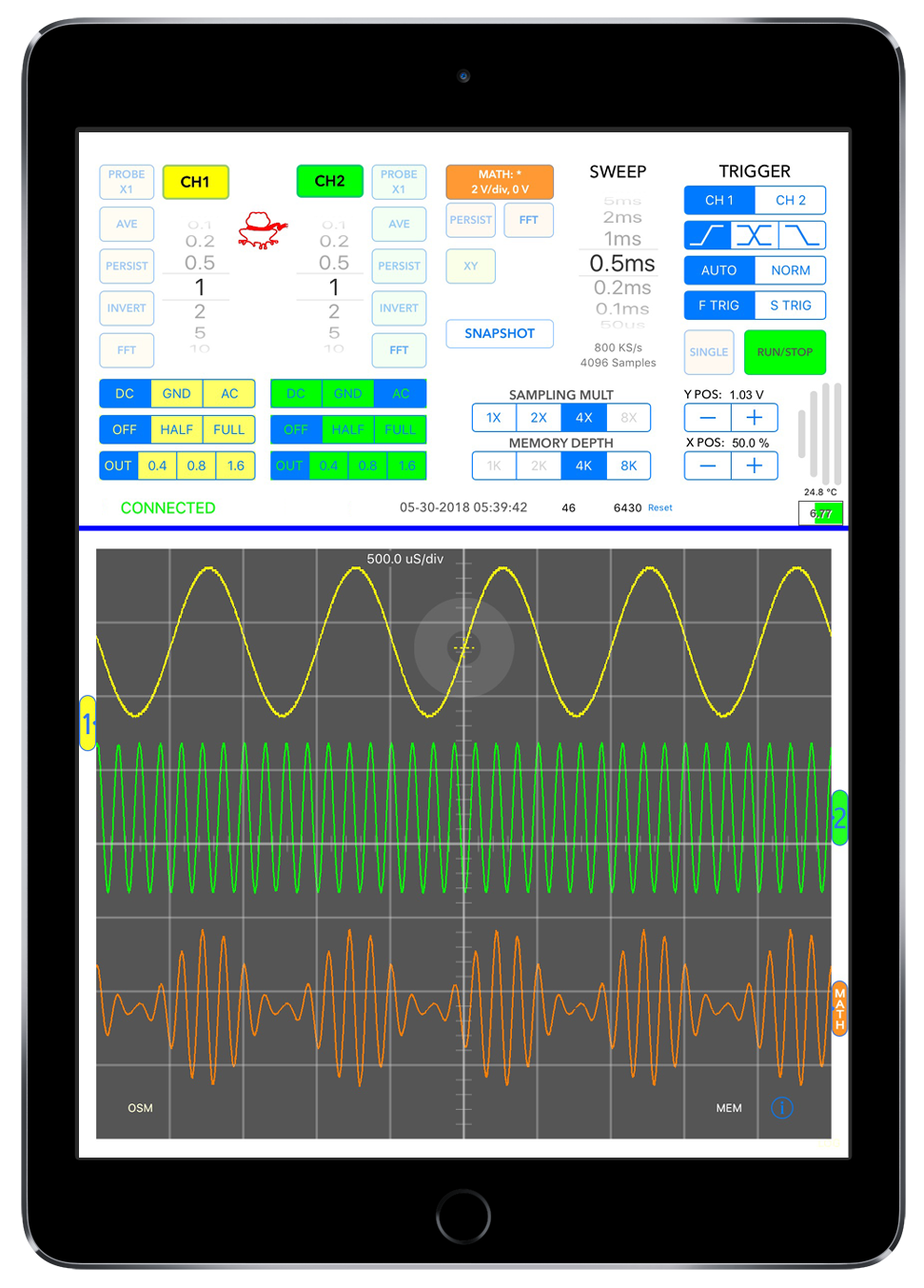
 

Mixed Mode Display


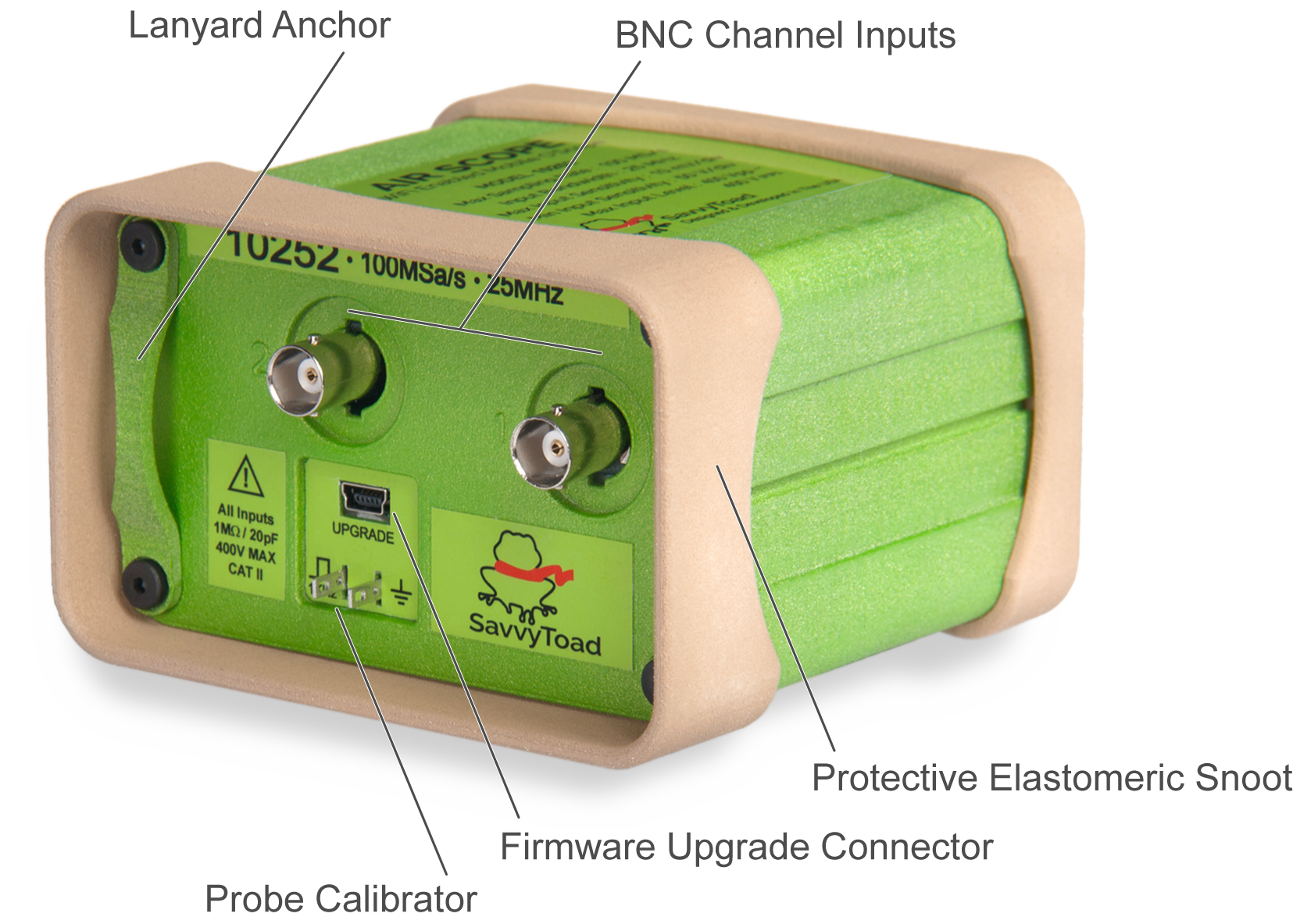
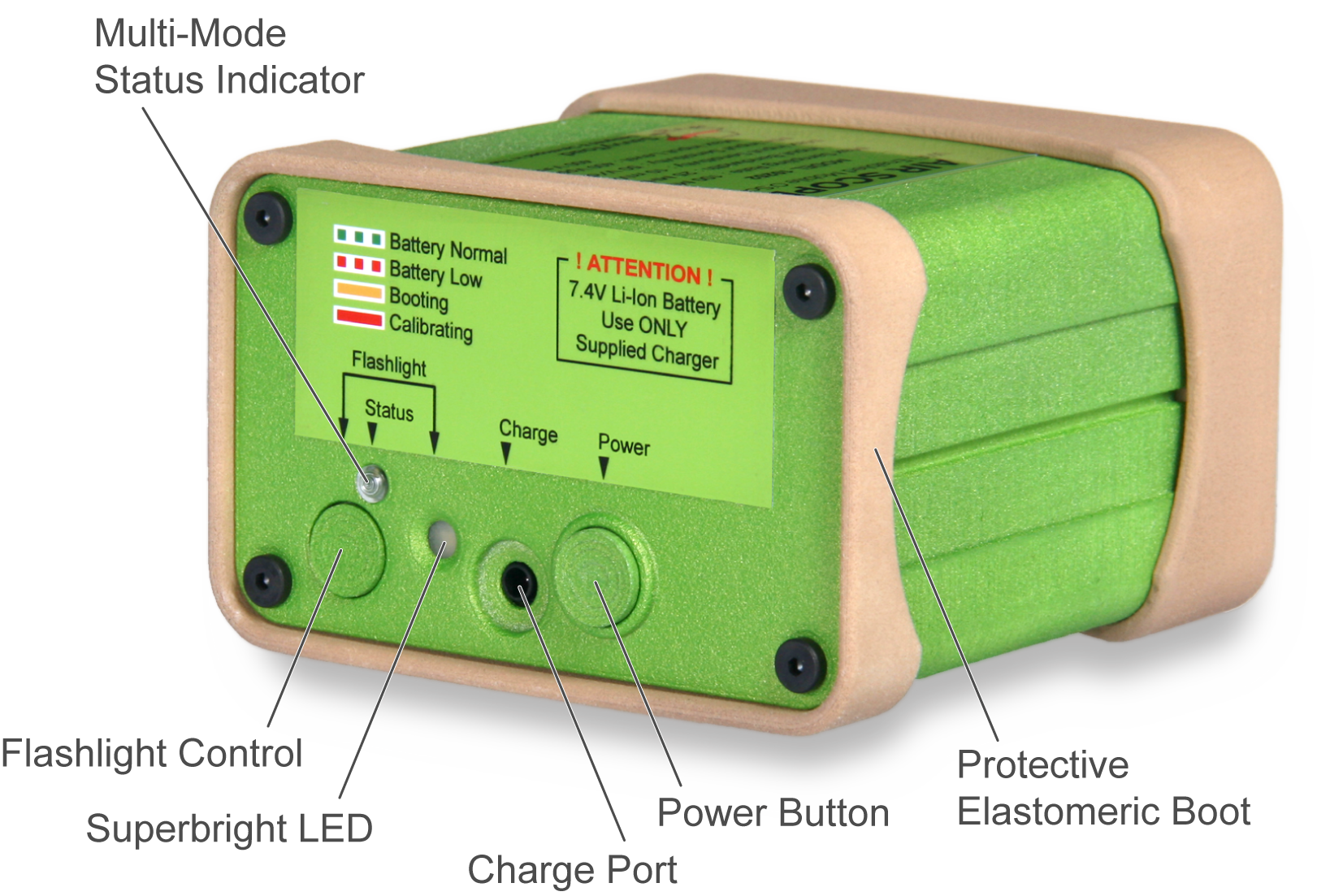
The AirScope Hardware

Highlights
  • Size (whd): 4″ (102mm) | 2-9/16″ (65mm) | 3-13/16″ (97mm)
  • Weight: 14oz (384g)
  • Battery: 7.8V/2200mAh Li-ion pack with 6+ hours of run time
  • Channels: 2 Simultaneously sampled @ 100M samples/second
  • WiFi: Wireless access point, 100′ max range

AirScope Specs
AirScope Features


The AirScope UI App

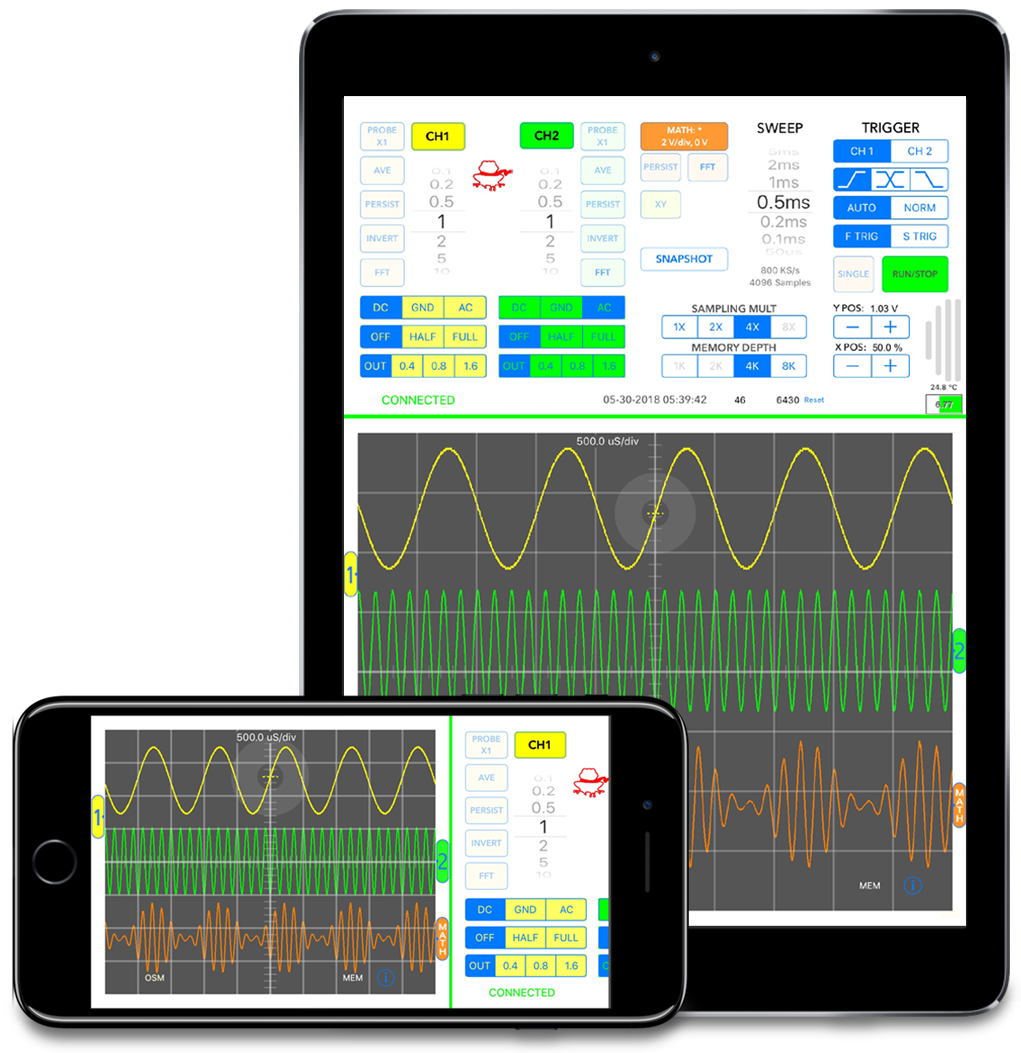
The AirScope does the speed intensive work of sampling signals, the AirScope  UI App does the heavy analysis work. The App is jam packed with features that manipulate the raw data stream from the AirScope into information that helps you understand what’s going on with your target.

All the common user controls are easily available and straight forward. No paging through menus, no up/down buttons just direct access to the operational controls. In the iPad version all the operational controls are visible and available so quick snapshot of the screen show the traces and all the parameter settings for easy reference. For the iPhone version a snapshot of the all the controls is appended to the right side of the screen so they are all visible in the image.

AirScope UI App Feature Details


News